The best Brainrot alternative on iPhone is BlockGain: it blocks apps with Apple's Screen Time like Brainrot does, but its daily limit for up to 3 apps is free forever, and Pro costs $19.99 a year or $39.99 once.
The short version:
- Brainrot is free to download, but every feature needs a subscription: $3.99 to $8.99 a month or $19.99 to $59.99 a year.
- BlockGain has a free plan, and Pro is $19.99 a year, $4.99 a month or $39.99 lifetime.
- Only in BlockGain here: YouTube without Shorts, Instagram without Reels, and a YouTube study mode.
- Other options: one sec, Opal, Jomo, ClearSpace, Roots and Apple's own Screen Time.
Why people look for a Brainrot alternative
Brainrot is a fun idea. A cute brain avatar decays as you doom scroll, and its App Store listing promises app and website blocking, schedules, a focus timer with Pomodoro and mindful breaks. It's rated 4.5 from about 23,000 ratings in the US App Store.
Most people who look elsewhere name one of three things.
- No free plan. The app is free to download, but its listing says all features need a subscription.
- Price is hard to read. We checked the US listing on 29 November 2026. It shows several plans: $3.99 and $8.99 a month, $19.99, $29.99 and $59.99 a year, plus a $4.99 week.
- The guilt. Some people love watching the brain rot. Others find it makes them feel worse, not scroll less.
We built BlockGain for people who want the blocking without the bill or the guilt. Every price below was checked on 28 or 29 November 2026.
Brainrot alternatives compared
| App | Free plan | Monthly | Yearly | Lifetime | Suits you if |
|---|---|---|---|---|---|
| BlockGain | Daily limit (3 apps), focus timer, stats | $4.99 | $19.99 | $39.99 | You want free blocking and a kind brain |
| Brainrot | None (subscription only) | $3.99–$8.99 | $19.99–$59.99 | Not clearly listed | You like the rotting-brain game |
| one sec | 1 app | $6.99 | $19.99 | $99.99 | You want a pause, not a block |
| Opal | 3 rules, basic timers | $19.99 | $99.99 | $399 | You also use Android |
| Jomo | 1 session, 1 limit | $5.99 | $29.99 | $99.99 | You want iPhone, iPad and Mac |
| ClearSpace | Not listed | $6.99 | $44.99 | Not listed | You like push-up challenges |
| Roots | Insights, 2 blocks | $9.99 | $59.99 | Not listed | You want balance scores |
| Screen Time | Built in, free | Free | Free | Free | You only need a nudge |
Want just the two side by side? See BlockGain vs Brainrot, or every app in one table on our compare page.
1. BlockGain: the free, friendly one
BlockGain blocks apps with Apple's Screen Time. When you open a blocked app, you see a stop screen, and the block holds even when BlockGain is closed.
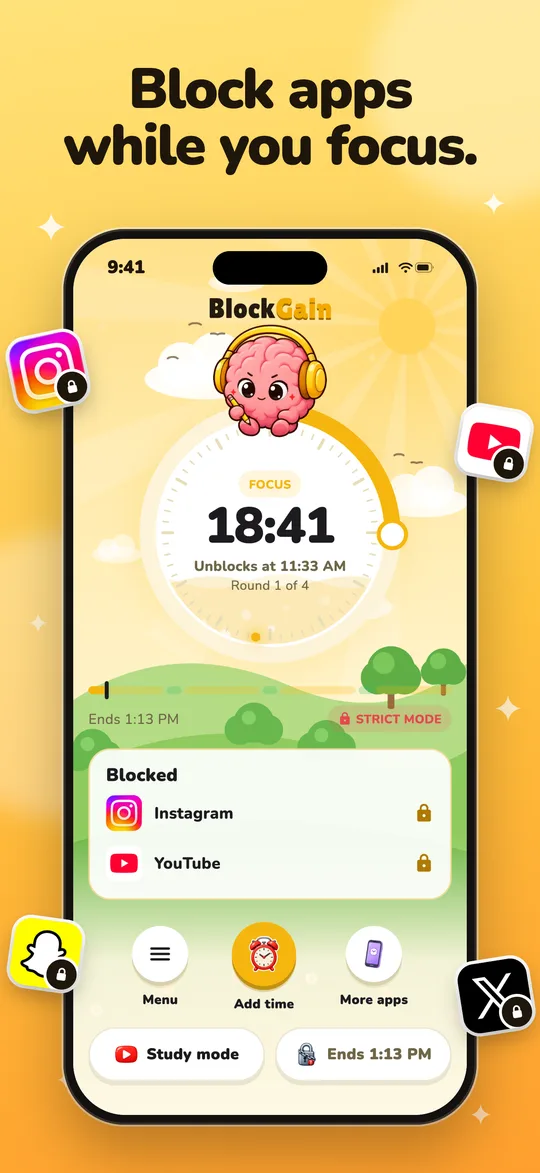 Blocked apps in BlockGain: open one and a stop screen appears.
The free plan never runs out. You get a daily limit for up to 3 apps, a focus timer, stop screens, screen time stats and a streak. There's no account and no ads, and your data stays on your phone.
The brain is on your side. BlockGain has a brain mascot too, but it doesn't rot or scold you. It breathes with you when you ask for a break.
 BlockGain's brain says hello. It never decays.
"Ask my inner self." Tap it on the stop screen and a notification opens BlockGain for two slow breaths. If you still need the app, pick 5, 10 or 15 minutes, and it relocks by itself.
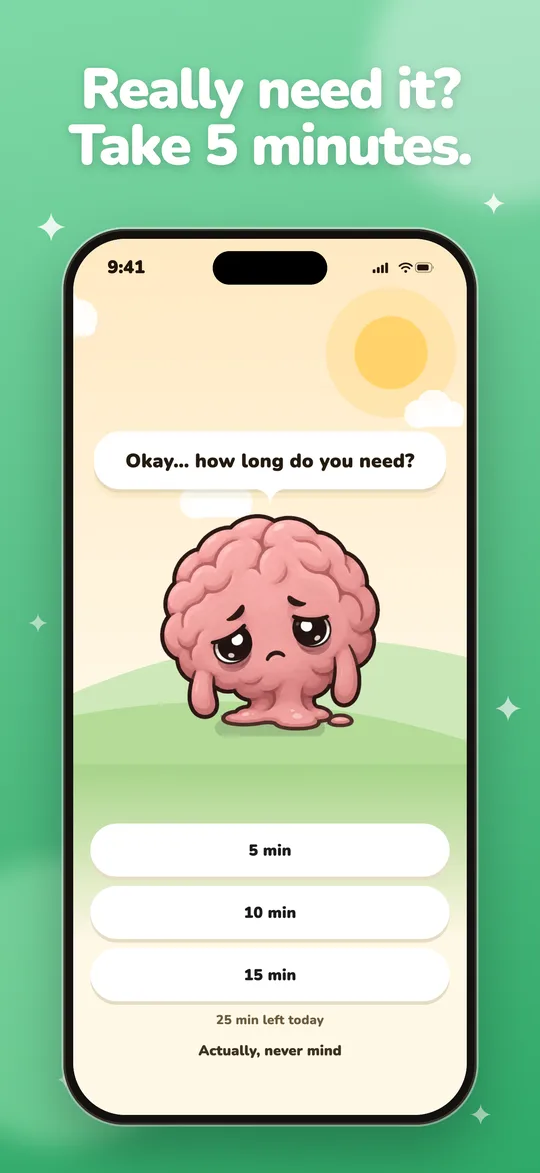 After two slow breaths, pick 5, 10 or 15 minutes. Then it locks again.
We explain why this works better than an all-or-nothing block in why a short unblock beats a hard block.
Pro adds unlimited apps, Pomodoro rounds, schedules, strict mode, website blocking and prevent uninstall. It's $19.99 a year with a 7-day free trial, $4.99 a month, or $39.99 once.
Where BlockGain differs most from Brainrot
Both apps block apps and websites, run schedules and have a Pomodoro timer. The differences are in what's free and what you can keep.
- A free plan. In BlockGain, the daily limit for 3 apps is free for good.
- A lifetime price. $39.99 once, so there's no yearly bill.
- Strict mode and prevent uninstall, which Brainrot doesn't list.
- Minimal (Pro). YouTube without Shorts and Instagram without Reels, so you keep the useful parts.
- YouTube study mode (Pro). Only study channels, for revision nights.
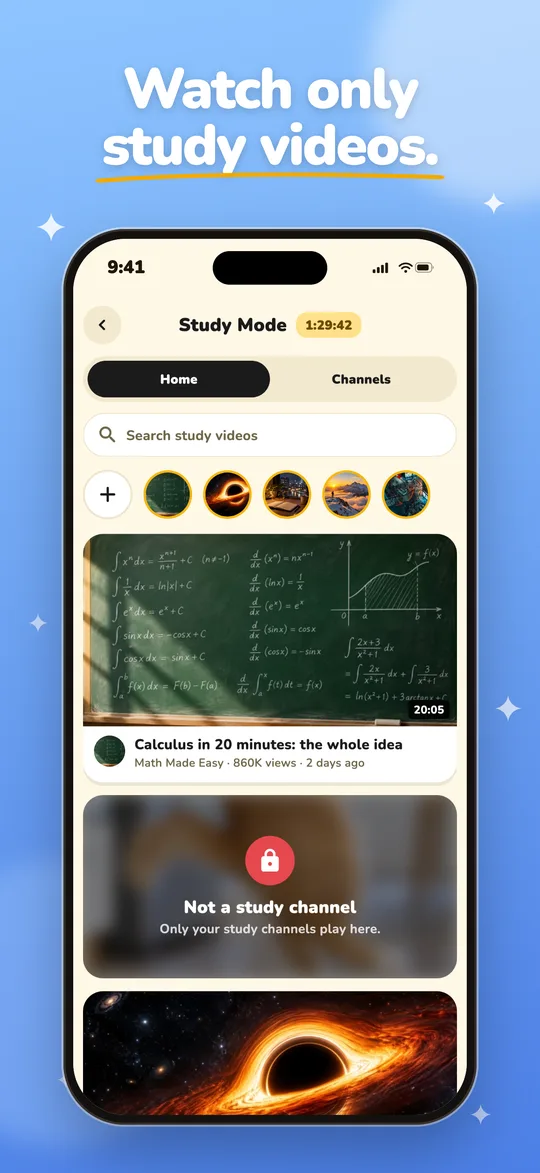 YouTube study mode in BlockGain: study channels in, the rabbit holes out.
If Shorts are the real problem, read how to beat YouTube Shorts addiction.
2. one sec: a pause before the app opens
one sec puts a short breathing pause in front of an app before it opens. It doesn't block outright; it makes you stop and choose.
One app is free. Pro is $19.99 a year, $6.99 a month or $99.99 lifetime. It suits you if you mostly open apps on autopilot.
3. Opal: polished, with Android
Opal is an all-in-one blocker with focus scores and reports. Its free plan has 3 rules and basic timers.
Pro is $99.99 a year, $19.99 a month or $399 lifetime. It suits you if you want one app across iPhone and Android. We compare it in detail in Opal alternatives.
4. Jomo: rules across your devices
Jomo is a flexible rules engine with routines, budgets and locks. It also works on iPad and Mac.
The free plan is 1 session and 1 limit. Paid plans are $29.99 a year, $5.99 a month or $99.99 lifetime.
5. ClearSpace and Roots
ClearSpace is a pause-plus-challenges app. You earn screen time with push-ups or breathing. It's $44.99 a year or $6.99 a month.
Roots is built around balance scores, challenges and streaks. It has a free plan with insights and 2 blocks, and costs $59.99 a year or $9.99 a month.
6. Apple's Screen Time: free and built in
Screen Time comes with every iPhone. Open Settings → Screen Time to see your use and set app limits. Apple's guides are linked at the end of this post.
The catch: on your own phone, you can tap past the limit. It's a good first step if you only need a nudge. If limits keep slipping, see how to stop doomscrolling on iPhone.
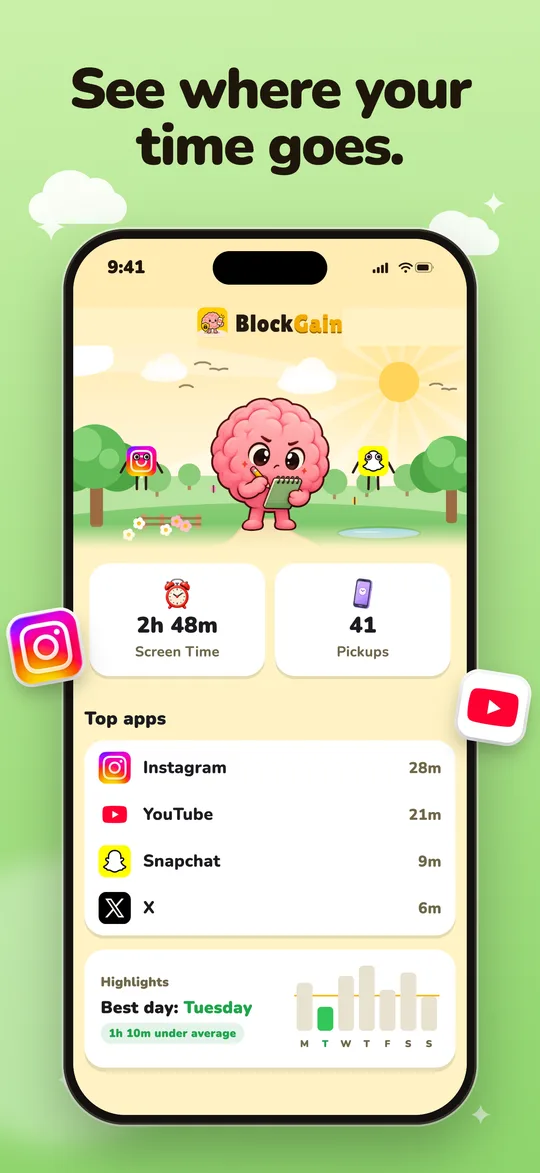 BlockGain reads the same Screen Time data: screen time, pickups and top apps.
Which Brainrot alternative should you pick?
- You want something free that actually blocks: BlockGain's daily limit. See the free app blockers we'd trust.
- You want to pay once: BlockGain lifetime, $39.99.
- You want YouTube without Shorts: BlockGain's Minimal.
- You want a pause, not a block: one sec.
- You also use Android: Opal.
- You only need a reminder: Screen Time.
For the full field, read the best app blocker for iPhone.
What we'd do, step by step
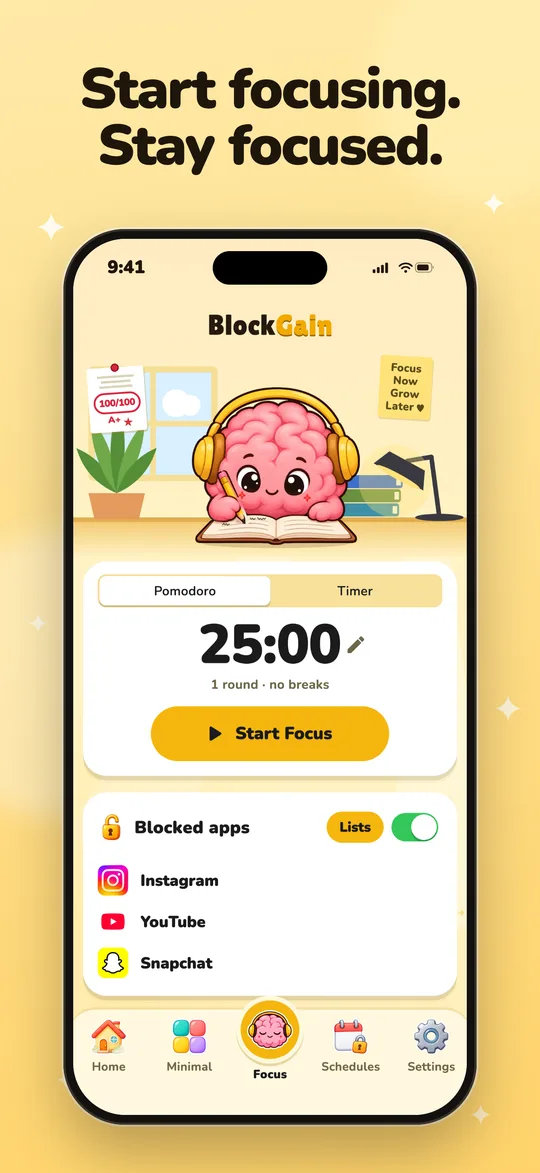 The focus timer in BlockGain is free; Pomodoro rounds come with Pro.
- Install BlockGain and connect Screen Time.
- Pick your 3 worst apps for the free daily limit.
-
Start a focus timer when you need to study or work.
-
Remove Brainrot's blocks in its settings, so the two apps don't overlap.
- Try Pro free for 7 days if you want schedules, strict mode or Minimal.
Our full setup guide is how to block apps on iPhone. Give it a week, and let the brain stay happy.
Sources
- App Store: Brainrot: Screen Time Control
- Apple Support: Set up Screen Time for yourself on iPhone
- Apple Support: Set Screen Time schedules and time allowances on iPhone
Common questions
Is there a free alternative to Brainrot?
Yes. BlockGain's free plan keeps up to 3 apps on a daily limit, with a focus timer, stop screens and screen time stats. It has no time limit and no ads. Apple's Screen Time is free too.
Does Brainrot have a free plan?
Brainrot is free to download, but its US App Store listing says all features need a subscription, as we checked on 29 November 2026.
Is there a Brainrot alternative with a lifetime price?
BlockGain Pro is $39.99 once for lifetime. one sec and Jomo list $99.99 lifetime, and Opal lists $399.
Does BlockGain have a brain mascot like Brainrot?
Yes, BlockGain has a friendly brain mascot. It doesn't rot or punish you. It breathes with you before a short unblock.
Can I switch from Brainrot to BlockGain?
Yes. Install BlockGain, connect Screen Time, pick the apps to block and set your daily limit. Then remove Brainrot's blocks in its own settings so the two don't overlap.

We build BlockGain, the screen time app for iPhone that blocks the apps that eat your day, with a breathing pause and a few minutes when you really need one. We write about focus, phone habits and getting your time back.