Yes, you can block apps on iPhone for free. Screen Time is built in, and BlockGain keeps up to 3 apps blocked for free, with short 5, 10 or 15-minute unblocks and a focus timer. The free plan never expires.
The short version:
- Screen Time: free and built in, but easy to ignore on your own phone.
- BlockGain free: a daily limit for up to 3 apps, plus a focus timer. No ads, no account.
- Free plans differ a lot: some apps have none at all.
- Pay only when you want schedules, strict mode, Minimal or more apps.
What a good free plan should include
We built BlockGain's free plan around one question: what do you need to stop the two or three apps that eat your day? Our answer had three parts.
- A real block. A stop screen, not just a reminder you can wave away.
- Enough apps. Room for your worst two or three, not just one.
- A way through. A short, honest way to use an app when you genuinely need it, without switching everything off.
If a free plan misses any of these, it's a demo, not a plan.
Free plans compared
These are the free plans we checked on 28 November 2026.
| App | Free plan | Paid from |
|---|---|---|
| BlockGain | Daily limit for up to 3 apps, focus timer | $19.99/year |
| Opal | 3 rules, basic timers | $99.99/year |
| one sec | 1 app | $19.99/year |
| Jomo | 1 session, 1 limit | $29.99/year |
| Freedom | Sessions up to 2 hours | $39.99/year |
| Roots | Insights, 2 blocks | $59.99/year |
| Brainrot | None (subscription only) | $19.99/year |
| Screen Time | Built in, limits you can ignore | Free |
For a full side-by-side of the paid plans, see the best app blocker for iPhone.
What BlockGain's free plan does
Here's how the free daily limit works in BlockGain, step by step.
- Pick up to 3 apps. They stay blocked all day.
- Open one, and you see a stop screen. Block screens rotate between tips, findings from studies, quotes and nudges, each with a different colour and brain mascot.
- Tap "Ask my inner self". It sends a notification that opens BlockGain full screen.
- Take two slow breaths with the brain mascot, then answer: "Never mind, I don't need it now" or "I badly need it".
- Pick 5, 10 or 15 minutes. That one app opens, with a Live Activity countdown.
- It locks again when the time is up, even if you're still in it.
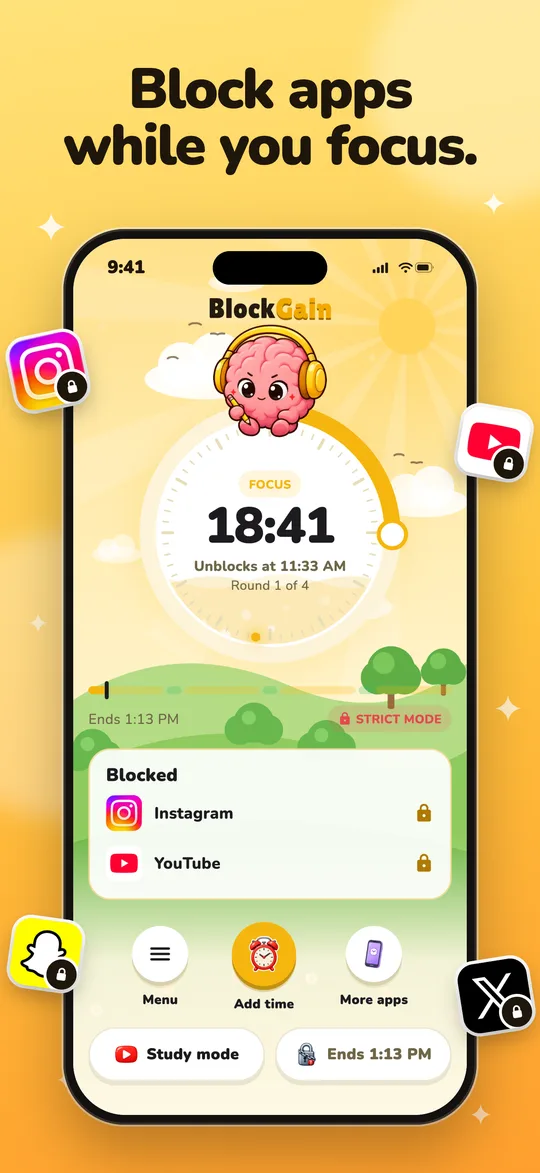 The daily limit in BlockGain: your chosen apps stay blocked, with a short unblock when you really need one.
You set a daily budget of 15, 30, 45, 60, 90 or 120 minutes, and each unblock spends 5, 10 or 15 of those minutes. When it's gone, the apps stay blocked until midnight. We explain why this works better than an all-or-nothing block in why a short unblock beats a hard block.
The free focus timer
The focus timer is free too. Start a session, and your chosen apps stay locked until it ends. A Live Activity shows the countdown, so you can see how long is left without opening anything.
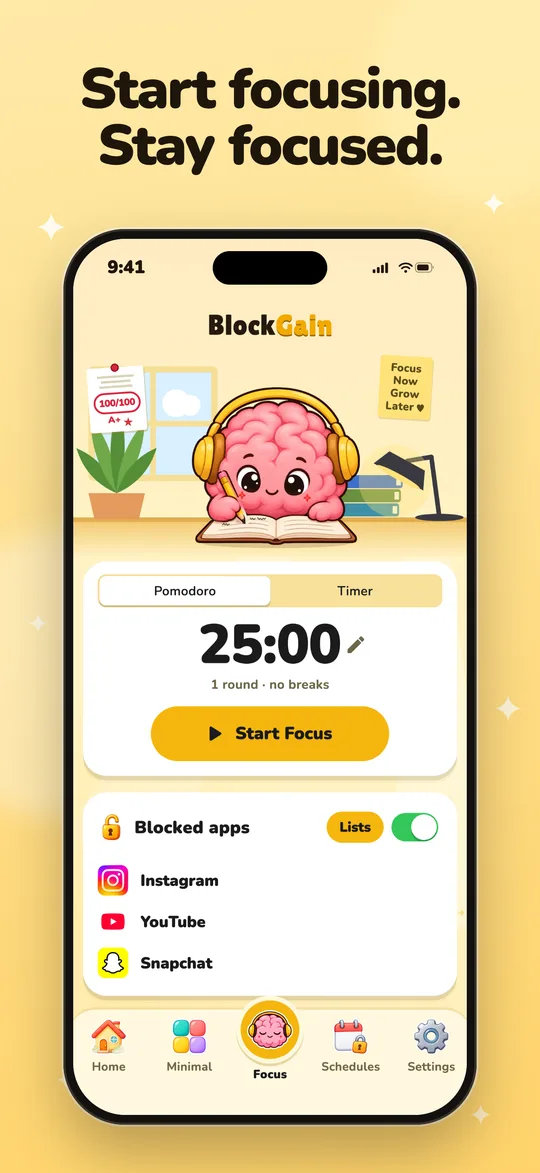 A free focus session in BlockGain, with the time left on screen.
It's a good fit for homework, reading or a work sprint. If you want Pomodoro rounds with breaks built in, that's part of Pro. Read more in Pomodoro for students.
Why not just use Screen Time?
Screen Time is a fine start, and it costs nothing. It tells you which apps take your time, and it lets you set limits and schedules.
The catch is that on your own phone you can ignore the limit. Late at night, or halfway through an essay, that's exactly what happens. We look at this in why Screen Time limits don't work.
A blocker built on the same Screen Time system shows a stop screen instead, and the only way through is two slow breaths, then a 5, 10 or 15-minute unblock from your budget.
What stays free, and what's Pro
| Free | Pro | |
|---|---|---|
| Daily limit | Up to 3 apps | More apps |
| Focus timer | Yes | Yes, plus Pomodoro rounds |
| Schedules and presets | No | Yes, with a real alarm |
| Strict mode, prevent uninstall | No | Yes |
| Minimal (YouTube, Instagram) | No | Yes |
| Website blocking | No | Yes |
Calls and messages are never blocked on either plan, unless you choose to block them.
When Pro is worth it
Upgrade when the free plan stops being enough. That usually means one of these:
- You scroll at night and want a Bedtime schedule that runs every day.
- You keep wriggling out and want strict mode or prevent uninstall.
- Only part of an app is the problem, like Shorts or Reels, and you want Minimal.
- Your habit moves to Safari, and you need website blocking.
BlockGain Pro is $19.99 a year with a 7-day free trial, $4.99 a month, or $39.99 once for lifetime.
Three mistakes with a free blocker
Picking the wrong three apps. Check Screen Time first and block the apps that actually take your hours, not the ones you feel guilty about.
Setting the budget too high. A 120-minute budget is barely a limit. Start at 30 minutes and adjust after a week.
Forgetting the browser. If you start opening the same sites in Safari, the habit has just moved. See how to block websites on iPhone.
Our advice
Start free. Block your worst three apps with the daily limit, set a budget of 30 minutes, and live with it for a week.
If it works, you may never need to pay. If you find yourself wanting schedules or Minimal, try Pro free for 7 days first.
Sources
- Apple Support: Set up Screen Time for yourself on iPhone
- Apple Support: Set Screen Time schedules and time allowances on iPhone
Common questions
Is BlockGain's free plan time-limited?
No. The daily limit for up to 3 apps and the focus timer stay free.
Does the free plan show ads?
No. BlockGain has no ads, on the free plan or on Pro.
Can I block more than 3 apps for free?
More apps are part of Pro, which has a 7-day free trial on the yearly plan.
Do I need an account?
No. BlockGain works without an account, and Apple keeps your screen time data on your iPhone.
Is Screen Time enough on its own?
It's free and built in, but on your own phone you can ignore a limit. A blocker with a stop screen is harder to skip.

We build BlockGain, the screen time app for iPhone that blocks the apps that eat your day, with a breathing pause and a few minutes when you really need one. We write about focus, phone habits and getting your time back.