A short unblock beats a hard block because it removes the reason to switch your blocker off. In BlockGain, you breathe twice, then get 5, 10 or 15 minutes from a daily budget before the app locks again.
The short version:
- Hard blocks fail at the edges: one real need and the whole block goes.
- Two slow breaths plus a cost make you choose, instead of scrolling on autopilot.
- 5, 10 or 15 minutes, then locked again means one message doesn't become an hour.
- BlockGain's daily limit works this way, free for up to 3 apps.
Where hard blocks go wrong
A block with no way through feels great until you need the app. A group chat for a class, a link someone sent, a quick post for work. Then the only option is to switch the whole block off.
Once it is off, it tends to stay off. You meant to turn it back on after the reply. Then the reply turned into a scroll, and the evening went with it.
Screen Time limits have the opposite problem. When a limit runs out, you see a screen that offers to ignore it, so the limit is only as strong as your mood that night. We cover that in why Screen Time limits don't work.
We built BlockGain's daily limit to sit between those two: harder to skip than a Screen Time limit, easier to live with than a wall.
How the unblock works in BlockGain
Here is what happens when you open a blocked app, step by step.
- Your daily limit apps stay blocked all day, even when BlockGain is closed.
- Opening one shows a stop screen with one button: "Ask my inner self".
- That sends a notification, like "Need Instagram? Tap to ask your inner self." Tap it to open BlockGain full screen.
- Take two slow breaths with the brain mascot: in for 6 seconds, hold for 3, out for 6. There is no way to skip them.
- Answer the brain. "Never mind, I don't need it now" keeps the app blocked and takes you to the focus timer. "I badly need it" asks how long: 5, 10 or 15 minutes.
- Only that one app opens, with a Live Activity countdown on your Lock Screen and in the Dynamic Island.
- When the time is up, the app locks again, even if you are still in it.
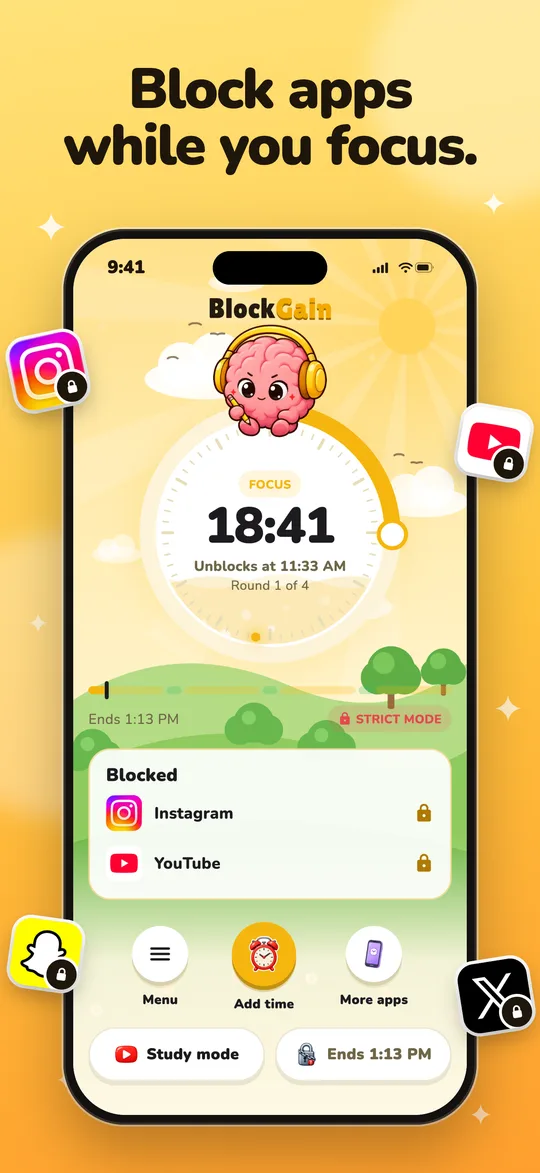 The stop screen in BlockGain: one button, "Ask my inner self".
Each unblock takes the 5, 10 or 15 minutes you picked from your daily budget, and you only see the options that still fit in what's left today. When the budget is gone, the apps stay blocked until midnight, and the stop screen has no button at all.
Why the pause matters
Most scrolling starts without a decision. Your thumb opens the app before you have thought about it.
The stop screen, the notification and the two breaths turn that reflex into a choice. The breaths give you a moment to notice what you're doing. Then you have to tap "I badly need it" on purpose, and often you tap "Never mind" instead.
The stop screen helps too. BlockGain's block screens rotate, each with its own colour and brain mascot: offline ideas, findings from studies, quotes and a bit of tough love. You can switch them in Settings → Block screens.
Why 5 to 15 minutes, and why only one app
Five minutes is enough to reply to a message, check a post someone sent, or look up what you came for. Ten or fifteen covers a longer task, and you choose that before you open the app, not halfway through a scroll.
Only one app opens at a time. If you ask for Instagram, you get Instagram, not every feed on your phone. A quick reply stays a quick reply.
And because the app locks again by itself, you don't have to remember to close it. That is the part a hard block can't do: it either keeps you out completely or lets you in with no end.
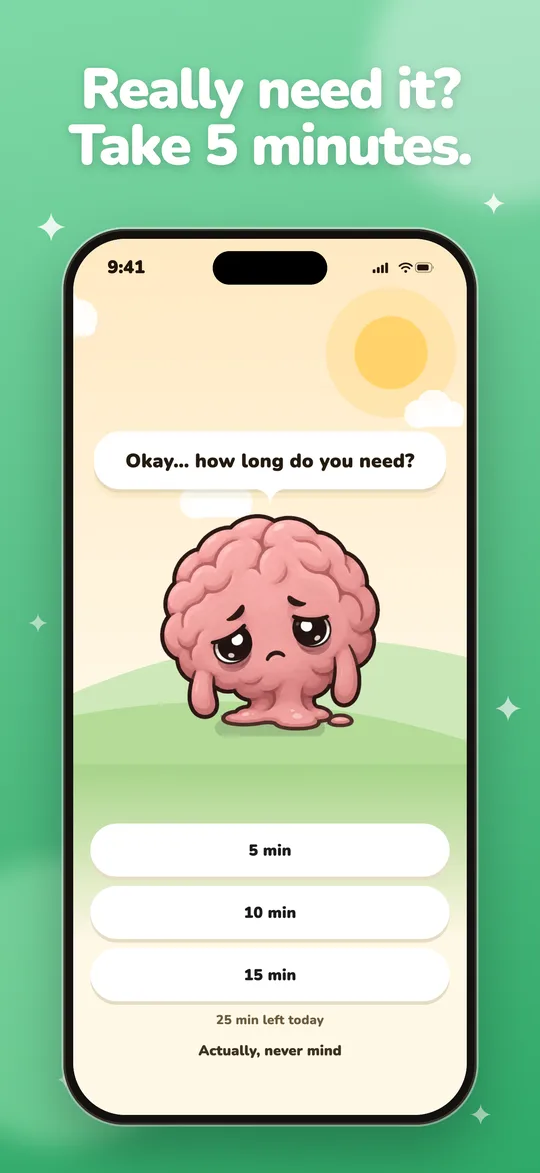 Pick 5, 10 or 15 minutes. Then the app locks again by itself.
Choosing your daily budget
Your budget is the total time you can spend on unblocks in a day. You can pick 15, 30, 45, 60, 90 or 120 minutes, and each unblock spends 5, 10 or 15 of them.
| Budget | Unblocks a day | Good for |
|---|---|---|
| 15 min | Up to three 5-minute or one 15-minute | A strict week, exams |
| 30 min | Up to six 5-minute or two 15-minute | Most people: messages and quick checks |
| 45–60 min | Up to 9–12 5-minute or 3–4 15-minute | Easing in, or work that needs the apps |
| 90–120 min | Up to 18–24 5-minute or 6–8 15-minute | A first week, if you are starting from a lot |
Start a little tighter than feels comfortable. You can always raise it, and it is harder to win back minutes once a habit settles.
When a hard block is still the right call
A budget is for your whole day. Some hours need no way in at all: an exam, a deep work morning, the hour before bed.
That is what strict mode is for. In BlockGain Pro, a focus session or a schedule can be strict, with no stop button until it ends. See strict mode, explained for when to use it.
The two work well together. Strict for the few hours that matter, and the daily limit for everything else. For an evening plan, see a bedtime phone schedule.
How to set it up
- Install BlockGain and connect Screen Time.
- Pick up to 3 apps for the daily limit. That part is free.
- Choose a budget. 30 minutes is a good start.
- Open a blocked app once to see the stop screen, so you know what to expect.
- Try Pro free for 7 days if you want more apps, schedules or strict mode.
There's no account to create and no ads. Pro is $19.99 a year, $4.99 a month or $39.99 once.
Common mistakes
Picking a big budget "just in case". A budget you never run out of is not a limit. Start small and raise it if you really need to.
Blocking apps you need for school or work. Keep the daily limit for the apps that pull you in, like feeds and short videos, not the ones you use to get things done.
Treating every unblock as a failure. An unblock is the system working. You breathed, you asked, you got a few minutes, and the app locked again. That is a win, not a slip.
For more on breaking the scroll habit itself, see how to stop doomscrolling on iPhone.
Sources
- Apple Support: Set up Screen Time for yourself on iPhone
- Apple Support: Set Screen Time schedules and time allowances on iPhone
Common questions
Can I unblock all my apps at once?
No. An unblock opens the one app you asked for, so a quick reply doesn't open every feed at the same time.
What happens if I stay in the app when the time is up?
It locks again while you are still in it. A Live Activity on your Lock Screen and in the Dynamic Island shows the countdown, so it doesn't come as a surprise.
Does the budget reset?
Yes, every day at midnight. Until then, once the budget is gone, your apps stay blocked and the stop screen has no button.
How big should my daily budget be?
You can pick 15, 30, 45, 60, 90 or 120 minutes. 30 minutes, up to six 5-minute or two 15-minute unblocks, is a good place to start.
Is the daily limit free?
Yes. The daily limit for up to 3 apps is part of BlockGain's free plan. Pro adds more apps, schedules and strict mode.

We build BlockGain, the screen time app for iPhone that blocks the apps that eat your day, with a breathing pause and a few minutes when you really need one. We write about focus, phone habits and getting your time back.