You can't turn Shorts off in the YouTube app on iPhone: there's no setting for it. The way to watch YouTube without Shorts is to open it in a Shorts-free view, like BlockGain's Minimal, and block the full YouTube app so the Shorts version is never one tap away.
The short version:
- The YouTube app can only show you fewer Shorts for a while. The tab never goes away.
- Screen Time can block YouTube, but not just Shorts.
- BlockGain's Minimal opens YouTube with the Shorts tab, the Shorts shelf and the endless home feed switched off.
- Search, subscriptions and the videos you came for all still work.
What works and what doesn't
We built Minimal in BlockGain because every "fix" we tried first only half worked. Here is how the options compare on an iPhone today.
| Option | Removes the Shorts tab? | Removes the Shorts shelf? | Stays that way? |
|---|---|---|---|
| BlockGain Minimal | Yes | Yes | Yes |
| "Not interested" on the shelf | No | For a while | No |
| Turn off watch history | No | Home feed goes, Shorts stay | Until you turn it back on |
| Screen Time limit on YouTube | No (blocks all of YouTube) | No | You can ignore the limit |
| YouTube in Safari | No | No | n/a |
Other screen time apps say the same thing. Opal's team and one sec's help pages both say hiding Shorts and Reels isn't possible in their iPhone apps (see our app blocker comparison).
Why Shorts are so hard to put down
A Short is over before you have decided whether you like it, and the next one has already started. There is no natural stopping point, so "one more" becomes the default.
That is why willpower alone rarely works here. The fix that holds is to remove the shelf and the tab, so the next Short simply isn't there. We cover the habit side in YouTube Shorts addiction: why one more never ends.
What you can do inside the YouTube app
Two settings help a little, and both are worth knowing about.
- "Not interested" on the Shorts shelf. Tap the three dots on a Short in the shelf. YouTube shows fewer Shorts for a while, then the shelf comes back.
- Turn off watch history. In YouTube's settings, under your history, you can pause it. YouTube then stops filling your home feed with recommendations. The Shorts tab stays.
Neither removes Shorts. They lower the pull for a few days, then you are back where you started.
YouTube without Shorts, in Minimal
Minimal opens YouTube inside BlockGain with the addictive parts switched off. In our own testing on iPhone, the Shorts tab, the Shorts shelf and the endless home feed are all gone, while search, your subscriptions and the videos you open work as normal.
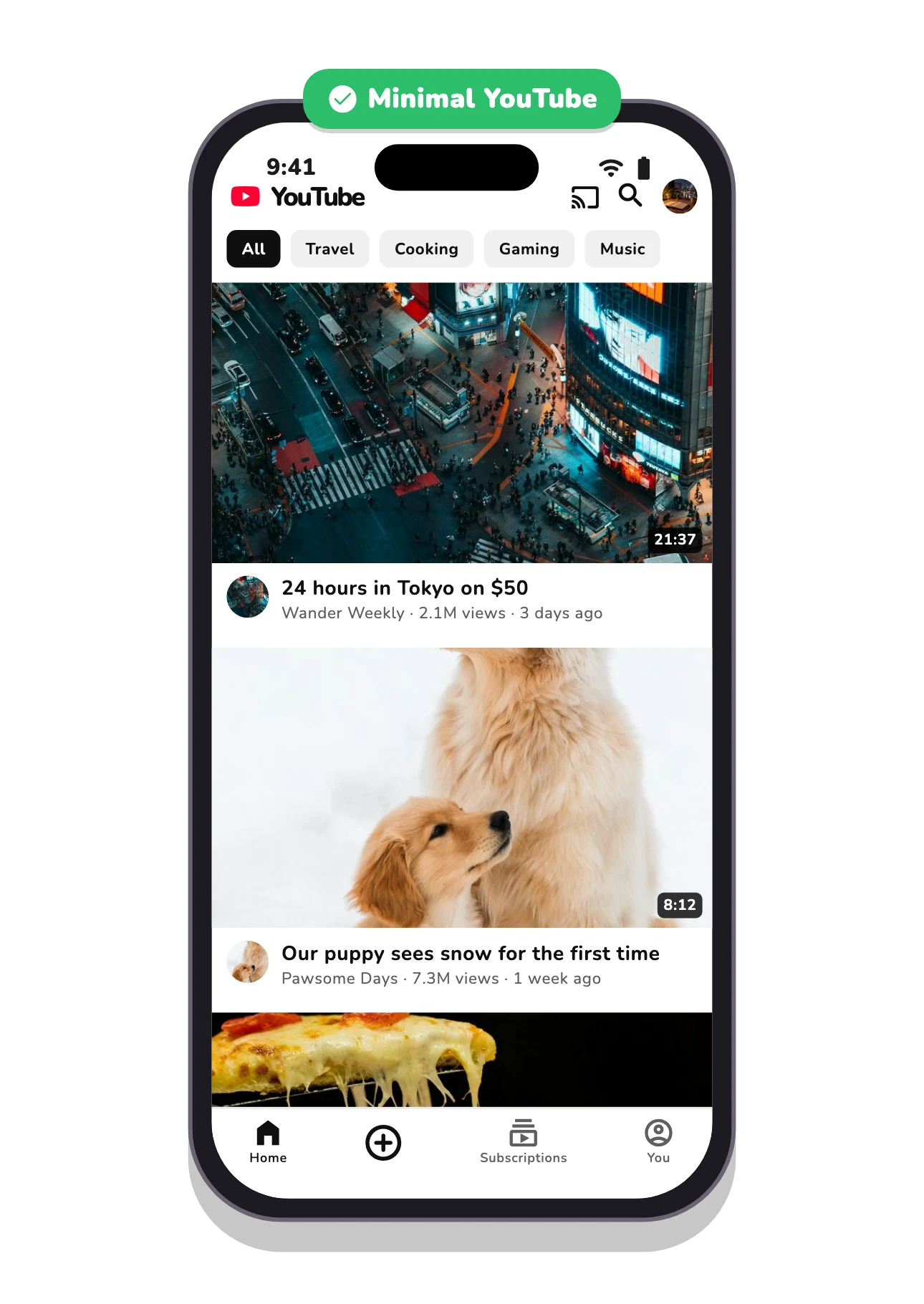 YouTube in Minimal: the videos you came for, no Shorts.
Pick the style that suits you:
- Clean: feeds and Shorts gone.
- Quiet: Clean, in black and white, so thumbnails pull less.
- Zen: only the essentials: search and what you came for.
- Custom: your own switches.
Make it stick: block the full app
Minimal works best when the full YouTube app is out of the way. Add YouTube to your blocked apps in BlockGain, and open YouTube from Minimal instead.
If you really need the full app for a moment, BlockGain's daily limit lets you unblock it for 5, 10 or 15 minutes after two slow breaths, then it locks again by itself. We explain why that beats an all-or-nothing block in why a short unblock beats a hard block.
For study time: only your study channels
If YouTube is mainly for lectures, YouTube study mode goes further. While a focus session runs, only the channels you have marked as study channels play. Anything else, Shorts included, is sent back.
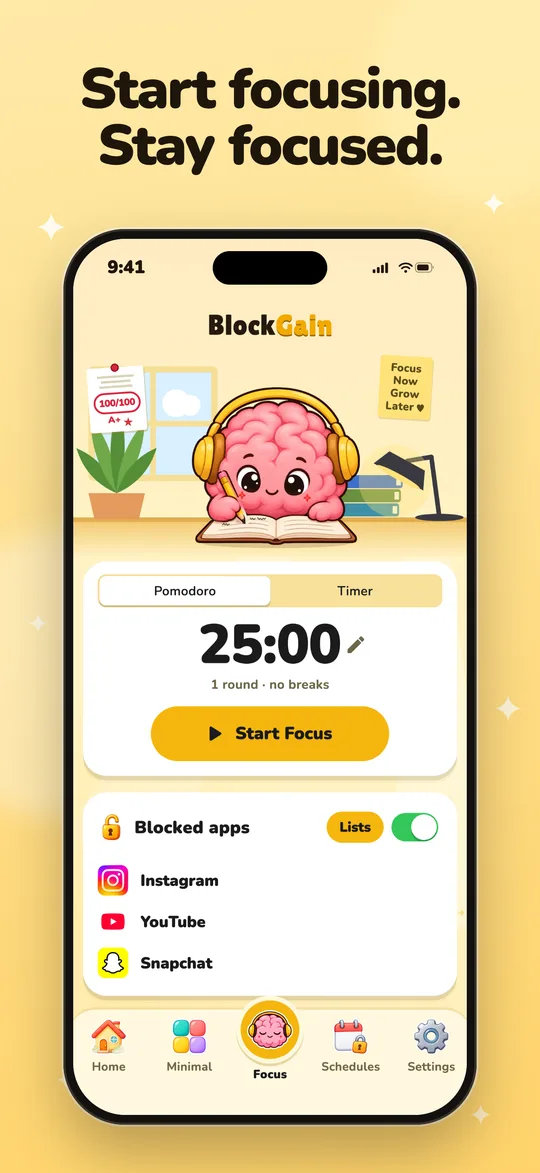 A focus session in BlockGain: your study channels play, everything else waits.
Read more in how to block YouTube but keep it for lectures.
Three mistakes that bring Shorts back
Leaving the full app open. If the YouTube app is one tap away, your thumb will find it on a tired evening. Block it, and let Minimal be the only YouTube on your home screen.
Swapping to Safari. Shorts are on youtube.com too. If you notice yourself typing it into Safari, add the site to your blocked websites as well, so the habit doesn't just move browsers.
Making it all-or-nothing. A block with no way through gets switched off the first time you genuinely need the app, for a link from a friend or a video for class. A small, honest way in (a few minutes, then locked again) is what keeps the block in place for months instead of days.
What we'd do, step by step
- Install BlockGain and connect Screen Time.
- Add YouTube to your blocked apps (the daily limit is free for up to 3 apps).
- Open YouTube in Minimal and pick Clean or Quiet.
- Sign in on YouTube's page if you want your subscriptions.
- For lectures, mark your study channels and use study mode during focus sessions.
Most people stop missing Shorts within a week. The feed was the habit, not the videos.
Sources
Common questions
Can I turn off YouTube Shorts on iPhone permanently?
Not in the YouTube app; there is no setting for it. The way to use YouTube without Shorts for good is a Shorts-free view such as BlockGain's Minimal, with the full app blocked.
Does turning off watch history remove Shorts?
It removes your personalised home feed, which takes away a lot of the pull, but the Shorts tab is still there.
Can Screen Time block only Shorts?
No. Screen Time limits whole apps and websites, so it can block YouTube but not just the Shorts part of it.
Do I need to sign in to YouTube in Minimal?
Only if you want your subscriptions. You sign in on YouTube's own page; BlockGain never sees your password.
Is Minimal free?
Minimal is part of BlockGain Pro, with a 7-day free trial on the yearly plan.

We build BlockGain, the screen time app for iPhone that blocks the apps that eat your day, with a breathing pause and a few minutes when you really need one. We write about focus, phone habits and getting your time back.