A Screen Time passcode only works as a lock if you don't know it. Set it yourself and it takes two seconds to type. Better: someone else holds it, or BlockGain gives you a strict block or a daily budget.
The short version:
- Your own passcode is a speed bump, not a wall.
- Someone else's passcode makes limits stick, but every change needs them.
- Strict mode in BlockGain has no stop button until the block ends.
- A daily budget of short unblocks keeps an honest way in, so you stop wanting to break the lock.
Why your own passcode fails
Screen Time lets you set app limits and protect them with a passcode. When a limit runs out, you see a screen that offers to ignore the limit. On your own phone, that is one tap away.
With a Screen Time passcode set, Block at End of Limit makes extra time need that passcode. That sounds strict. But you chose the code, so you know it.
At midnight, tired and bored, four digits you know by heart are not much of a barrier. The passcode was meant for a parent and a child. When you are both people, it mostly checks that you can still type.
We built BlockGain so the lock doesn't depend on a code you already know. You can read more about that pattern in why Screen Time limits don't work.
Four ways to make limits stick
Here is how the options compare once the first week's motivation wears off.
| Option | Hard to skip? | Easy to live with? | Best for |
|---|---|---|---|
| Your own Screen Time passcode | No | Yes | A gentle reminder |
| Someone else's passcode | Yes | Not always | People with a willing helper nearby |
| Strict mode in BlockGain | Yes, for a set time | For focused hours | Exams, deep work, bedtime |
| Daily limit with short unblocks | Yes | Yes | Your whole day |
The best setup usually mixes two: a daily limit for everyday life, and strict mode for the few hours that really matter.
Option 1: let someone else hold the code
A partner, parent or friend sets the Screen Time passcode and keeps it to themselves. Now "ignore limit" really does need them, and your limits stick.
The catch is that every change needs them too. A new app for school, a different schedule for the weekend, an extra minute to reply to a message: all of it waits until they are around.
Many people find that friction too much after a week or two. They ask for the code "just this once", and then the helper gets tired of being asked. It works best if you only change your limits rarely.
If you forget a passcode you set, Apple lets you reset it with your Apple Account. That is good to know, and it is also why a code you set yourself is never a hard lock.
Option 2: strict mode for the hours that matter
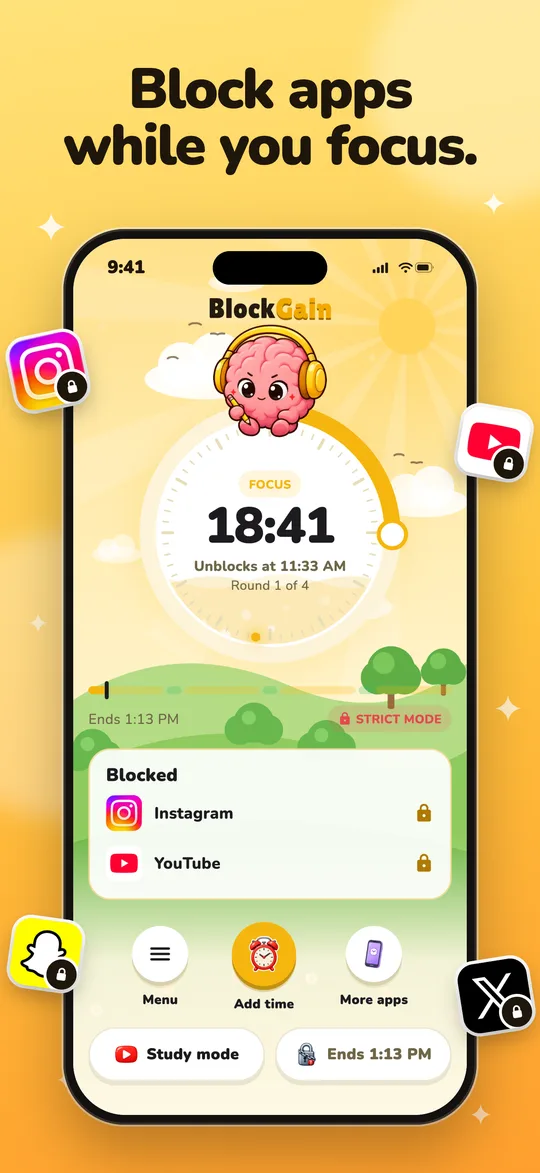
A strict block has no stop button until it ends. In BlockGain, a focus session or a schedule can be strict. Once it starts, the only way out is to wait.
Turn on prevent uninstall during blocks as well, so deleting BlockGain isn't an escape. Both are part of BlockGain Pro.
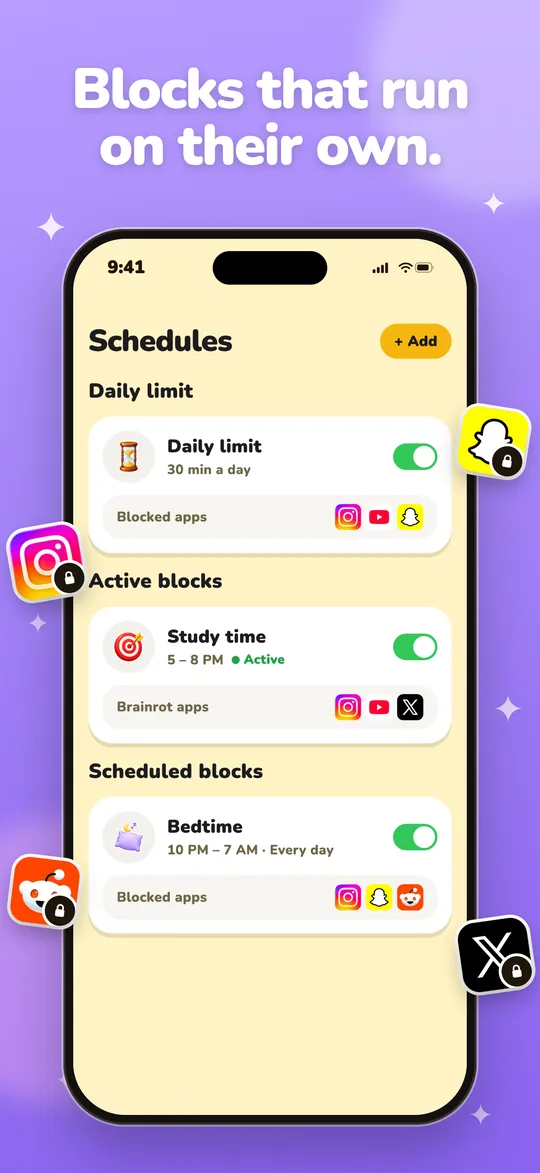 Schedules in BlockGain: pick a preset, choose your apps, and make it strict if you want no way out.
Use strict mode for the hours you are sure about: an exam week, a deep work morning, the hour before bed.
Don't make your whole day strict. A block you can never get through is the one you end up deleting on a bad day. We go deeper in strict mode, explained.
Option 3: a daily budget with a pause
Most lock-breaking happens because of a real need. A message from a friend, a school group, a link someone sent. A passcode treats all of those the same as mindless scrolling.
BlockGain's daily limit answers the real need without opening everything. It is free for up to 3 apps:
- Your daily limit apps stay blocked all day, even when BlockGain is closed.
- Opening one shows a stop screen with one button: "Ask my inner self".
- That sends a notification, like "Need Instagram? Tap to ask your inner self." Tap it to open BlockGain full screen.
- Take two slow breaths with the brain mascot: in for 6 seconds, hold for 3, out for 6. You can't skip them.
- Choose "Never mind, I don't need it now" or "I badly need it", then pick 5, 10 or 15 minutes.
- That one app opens for that long, then locks again, even while you are in it.
 A blocked app in BlockGain: one button, and the choice is yours.
Each unblock costs 5, 10 or 15 minutes from a daily budget you pick: 15, 30, 45, 60, 90 or 120 minutes. A 30-minute budget is up to six 5-minute or two 15-minute unblocks. When it's gone, the apps stay blocked until midnight, and the stop screen has no button at all.
That is the difference from a passcode. There is no code to type in a weak moment, only two slow breaths and a small cost.
The pause is often enough for your inner self to say no. We explain why in why a short unblock beats a hard block.
What we'd set up, step by step
- Turn off your own Screen Time limits for the apps you move to BlockGain, so the two don't overlap.
- Install BlockGain and connect Screen Time.
- Add your worst 3 apps to the daily limit and pick a 30-minute budget.
- Try Pro free for 7 days if you want schedules, strict mode and prevent uninstall.
- Make one schedule strict, for the hours you know you need to focus.
There's no account to create and no ads. Pro is $19.99 a year, $4.99 a month or $39.99 once.
Common mistakes
Making the passcode harder to remember. A long code you wrote down is still a code you can find. The problem isn't the digits, it's who holds them.
Going strict all day. A wall with no door gets knocked down. Keep strict for set hours and give the rest of the day a budget.
Blocking everything at once. Start with the 3 apps that cost you the most time. You can add more later, once the first ones feel normal.
So, is a Screen Time passcode worth it?
As a reminder, yes. As a lock on your own phone, not really. If you want limits that hold, let someone else keep the code, or let BlockGain do the holding: strict for the hours that matter, a daily budget for the rest.
Sources
- Apple Support: Set up Screen Time for yourself on iPhone
- Apple Support: Set Screen Time schedules and time allowances on iPhone
Common questions
Why doesn't my Screen Time passcode stop me?
Because you set it, so you know it. When a limit runs out, typing four digits you know by heart is a speed bump, not a wall.
Can I reset a Screen Time passcode I forgot?
Yes. Apple lets you reset a forgotten Screen Time passcode with your Apple Account; see Apple's Screen Time help pages.
Should someone else hold my Screen Time passcode?
It makes your limits stick, but every change, like a new app or a different schedule, needs them. It works best if they are easy to reach.
Can BlockGain be deleted to escape a block?
Not while prevent uninstall is on and a block is running. Prevent uninstall is part of BlockGain Pro.
Is strict mode free?
Strict mode is part of BlockGain Pro, with a 7-day free trial on the yearly plan. The daily limit for up to 3 apps is free.

We build BlockGain, the screen time app for iPhone that blocks the apps that eat your day, with a breathing pause and a few minutes when you really need one. We write about focus, phone habits and getting your time back.