The best one sec alternative on iPhone is BlockGain. It keeps the breathing pause before an app opens, and its free plan covers up to 3 apps instead of 1. Lifetime is $39.99 instead of $99.99, and Pro adds schedules, strict mode and YouTube without Shorts.
The short version:
- one sec adds a breathing pause before an app opens. 1 app is free; Pro is $19.99 a year or $99.99 lifetime.
- BlockGain has a breathing pause too ("Ask my inner self"), free for up to 3 apps, with $39.99 lifetime.
- Other options: Opal, Brainrot, Jomo, ClearSpace, Roots and Apple's own Screen Time.
- Best free pick: BlockGain for a pause on 3 apps, Screen Time if you want nothing extra installed.
Why people look for a one sec alternative
one sec is a friction app. When you open Instagram or TikTok, it makes you take a breath first, and often you close the app instead. That idea works, and one sec is well liked: it holds a 4.8 rating on the US App Store from about 24K ratings.
People still look around, mostly for two reasons.
- The free plan covers 1 app. If you have two or three apps that pull you in, you need Pro.
- Price. Pro is $6.99 a month, $19.99 a year or $99.99 lifetime.
Some people also want more than a pause: a focus timer with breaks, or YouTube without Shorts. one sec's help pages say hiding Shorts and Reels isn't possible on iPhone.
We checked every price and feature in this post on 28 November 2026, from each app's own website, help pages and US App Store listing.
one sec alternatives compared
| App | Free plan | Monthly | Yearly | Lifetime | Stands out for |
|---|---|---|---|---|---|
| BlockGain | Daily limit (3 apps), focus timer | $4.99 | $19.99 | $39.99 | Breathing pause, then 5, 10 or 15 minutes |
| one sec | 1 app | $6.99 | $19.99 | $99.99 | A breathing pause, also on Android |
| Opal | 3 rules, basic timers | $19.99 | $99.99 | $399 | All-in-one, also on Android |
| Brainrot | None | $3.99–$8.99 | $19.99–$59.99 | Not listed | A brain that decays as you scroll |
| Jomo | 1 session, 1 limit | $5.99 | $29.99 | $99.99 | iPhone, iPad and Mac |
| ClearSpace | Not listed | $6.99 | $44.99 | Not listed | Push-up and breathing challenges |
| Roots | Insights, 2 blocks | $9.99 | $59.99 | Not listed | Balance scores and streaks |
| Screen Time | Built in | Free | Free | Free | Nothing to install |
Want just the two side by side? See BlockGain vs one sec, or every app at once on our compare page.
1. BlockGain
BlockGain blocks apps with Apple's Screen Time. When you open a blocked app, you see a stop screen instead of the feed.
The pause works like this in BlockGain. On the daily-limit stop screen, tap "Ask my inner self". A notification opens BlockGain, and you take two slow breaths with the brain mascot. Then it asks: Feeling calmer? Do you still need it?
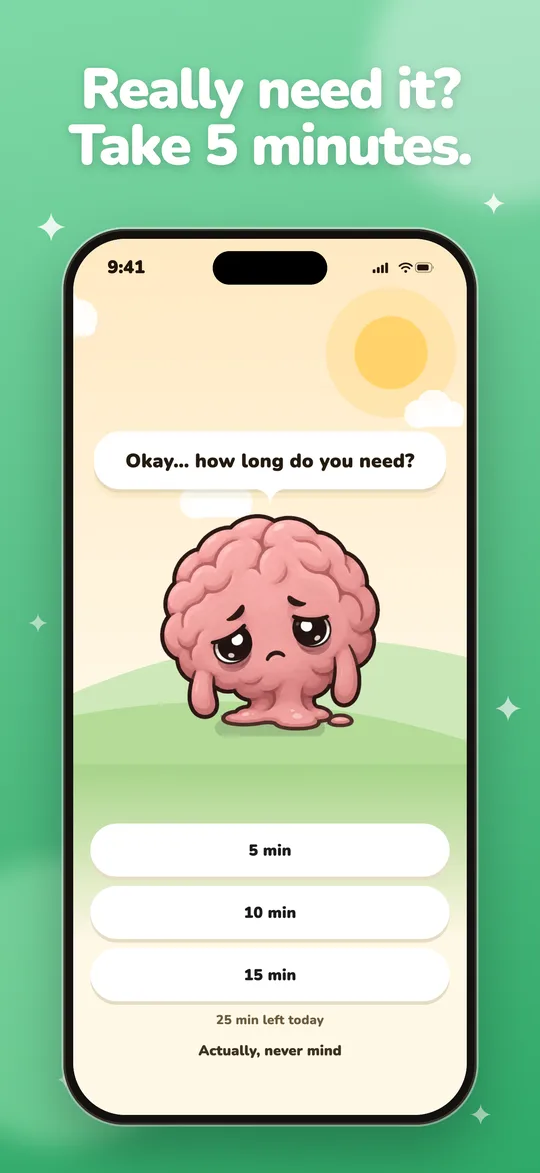 After the pause, pick 5, 10 or 15 minutes. The app relocks by itself.
If you still need the app, pick 5, 10 or 15 minutes. When the time is up, it locks again, even if you're still in it. We explain why that works in why a short unblock beats a hard block.
Free forever: the daily limit for up to 3 apps, a plain focus timer (one block, no breaks), stop screens, screen time stats and a streak.
Pro ($19.99 a year with a 7-day free trial, $4.99 a month or $39.99 lifetime) adds unlimited apps, Pomodoro rounds with breaks, schedules, strict mode, website blocking and prevent uninstall. It also adds Minimal: YouTube without Shorts and Instagram without Reels, plus a YouTube study mode.
There's no account and no ads. Your data stays on your phone.
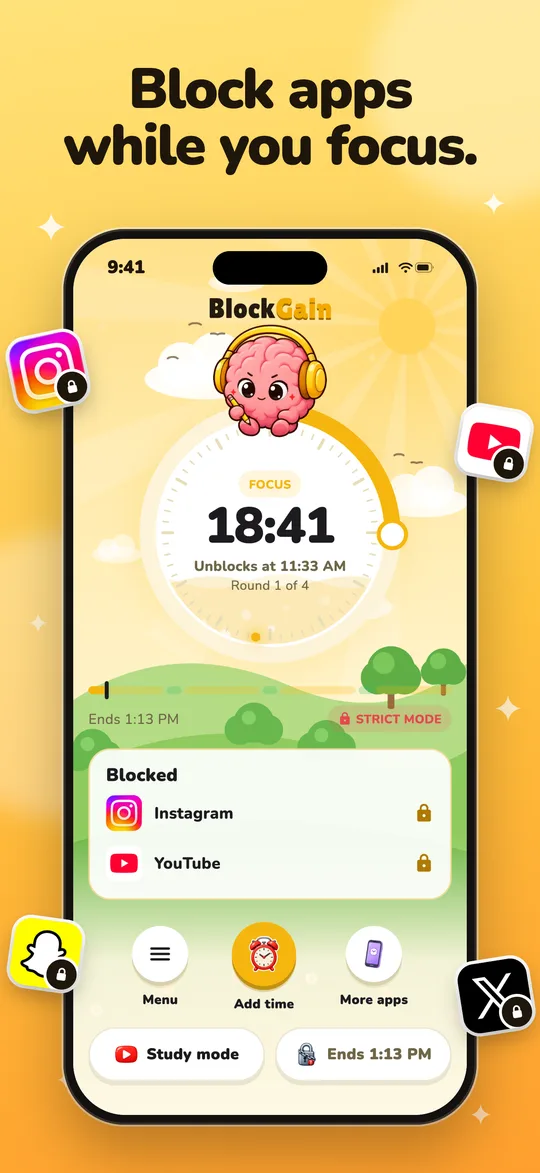 The stop screen you see when you open a blocked app.
2. Opal
Opal is a polished, all-in-one blocker with focus scores and reports. Its free plan has 3 rules and basic timers. Pro is $19.99 a month, $99.99 a year or $399 lifetime, and it also runs on Android.
It's a strong pick if you want lots of reports and don't mind the price. For more options in that range, see Opal alternatives.
3. Brainrot
Brainrot is a gamified app with a brain that decays the more you scroll. It has no free plan. Monthly plans run $3.99 to $8.99 and yearly plans $19.99 to $59.99. It has Pomodoro rounds, but doesn't list strict mode or prevent uninstall.
4. Jomo
Jomo is a flexible rules engine with routines, budgets and locks, and it works on iPhone, iPad and Mac. The free plan is small (1 session, 1 limit). Paid plans are $5.99 a month, $29.99 a year or $99.99 lifetime.
5. ClearSpace
ClearSpace is the closest to one sec in spirit. It adds a pause, then asks you to earn screen time with push-ups or breathing challenges. It doesn't list a free plan; it's $6.99 a month or $44.99 a year.
6. Roots
Roots is built around balance scores, challenges and streaks. Its free plan has insights and 2 blocks, and paid plans are $9.99 a month or $59.99 a year.
7. Apple Screen Time
Screen Time is built into every iPhone and costs nothing. You can set app limits and a downtime schedule in Settings. See Apple's guide for the steps.
It has no breathing pause, though. When a limit runs out, you can usually tap past it on your own phone. If that's your problem, see how to block apps on iPhone.
 BlockGain uses Screen Time underneath, and adds the pause and the stop screen.
What Reddit users tend to ask for
Threads about one sec alternatives tend to ask for the same few things. We've kept this general on purpose, not quoting anyone.
- A real free plan, with more than one app and no subscription.
- A pause that isn't too easy to skip, so the habit actually changes.
- A lifetime price instead of another yearly bill.
- Blocking without losing the useful parts, like YouTube lectures or Instagram messages.
BlockGain's free plan covers the first two for 3 apps. Pro covers the last two, with lifetime at $39.99.
Which one sec alternative should you pick?
- You want the pause, free, on more than 1 app: BlockGain.
- You want the cheapest lifetime price: BlockGain at $39.99.
- You want YouTube without Shorts or Instagram without Reels: BlockGain's Minimal.
- You want to earn screen time with push-ups: ClearSpace.
- You need your Mac blocked too: Jomo.
- You're happy with one sec and use Android: stay with one sec.
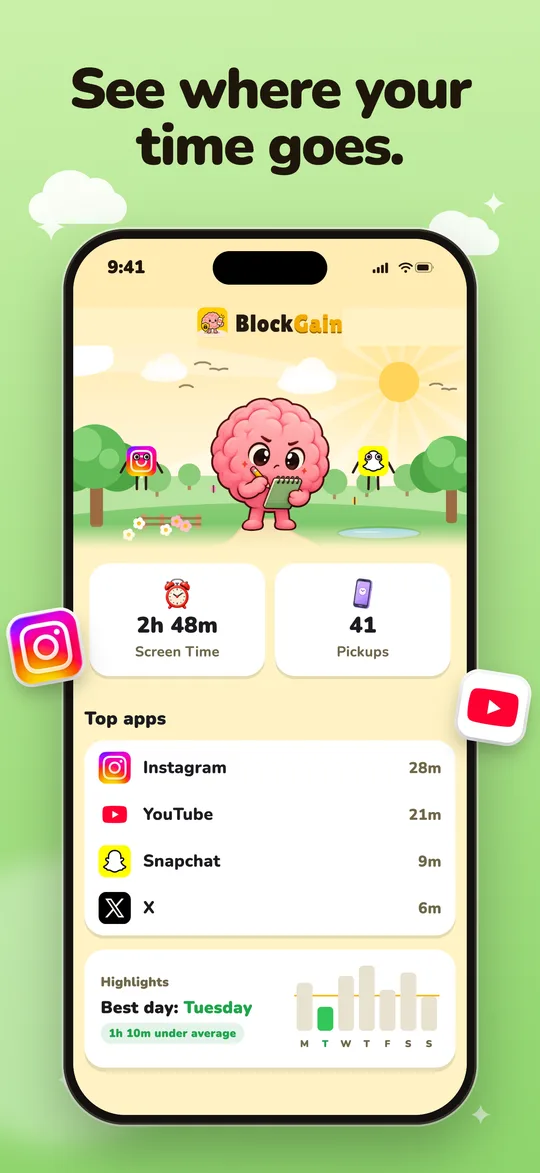 Screen time stats in BlockGain, free, so you can see if the pause is working.
What we'd do, step by step
- Install BlockGain and connect Screen Time.
- Pick your worst 3 apps for the free daily limit.
- Set a daily budget. 30 minutes is a good start.
- Use "Ask my inner self" when you hit the stop screen. Breathe first, then decide.
- Remove one sec's settings for those apps, so the two don't overlap.
- Try Pro free for 7 days if you want schedules, strict mode or Minimal.
Give it a week. If the pause on 3 apps is enough, you never have to pay. For a wider look at every option, see the best app blocker for iPhone.
Sources
- Apple Support: Set up Screen Time for yourself on iPhone
- Apple Support: Set Screen Time schedules and time allowances on iPhone
Common questions
Is there a free alternative to one sec?
BlockGain's free plan keeps up to 3 apps on a daily limit, with a breathing pause before any short unblock, a focus timer, stop screens and screen time stats. It has no time limit and no ads.
Does BlockGain have a breathing pause like one sec?
Yes. Tap "Ask my inner self" on the stop screen and open the notification. You take two slow breaths, then decide if you still need the app and pick 5, 10 or 15 minutes. It locks again by itself.
How much does one sec cost compared with BlockGain?
one sec lists $6.99 a month, $19.99 a year and $99.99 lifetime. BlockGain is $4.99 a month, $19.99 a year or $39.99 lifetime, as checked on 28 November 2026.
Can I switch from one sec to BlockGain?
Yes. Install BlockGain, connect Screen Time, pick your apps and set your daily limit. Then remove one sec's settings for those apps so the two don't overlap.
Does one sec work on Android?
Yes, one sec also has an Android app. BlockGain is iPhone only for now.

We build BlockGain, the screen time app for iPhone that blocks the apps that eat your day, with a breathing pause and a few minutes when you really need one. We write about focus, phone habits and getting your time back.